
📢 CONTACT US FOR A FREE AUDIT, CONSULTATION, OR BRAND ANALYSIS. WE WANT TO HELP HOWEVER WE CAN 🏁 BUILD YOUR BRAND, SELL THE WOW FACTOR, AND LET US DO THE THINKING AHEAD 🧠
📢 CONTACT US FOR A FREE AUDIT, CONSULTATION, OR BRAND ANALYSIS. WE WANT TO HELP HOWEVER WE CAN 🏁 BUILD YOUR BRAND, SELL THE WOW FACTOR, AND LET US DO THE THINKING AHEAD 🧠
📢 CONTACT US FOR A FREE AUDIT, CONSULTATION, OR BRAND ANALYSIS. WE WANT TO HELP HOWEVER WE CAN 🏁 BUILD YOUR BRAND, SELL THE WOW FACTOR, AND LET US DO THE THINKING AHEAD 🧠
Dominate Your Market with an Accessible Website
Dominate Your Market with an Accessible Website
8 minutes read - Written by Nextus Team
Websites
SEO
Guide
Explainer

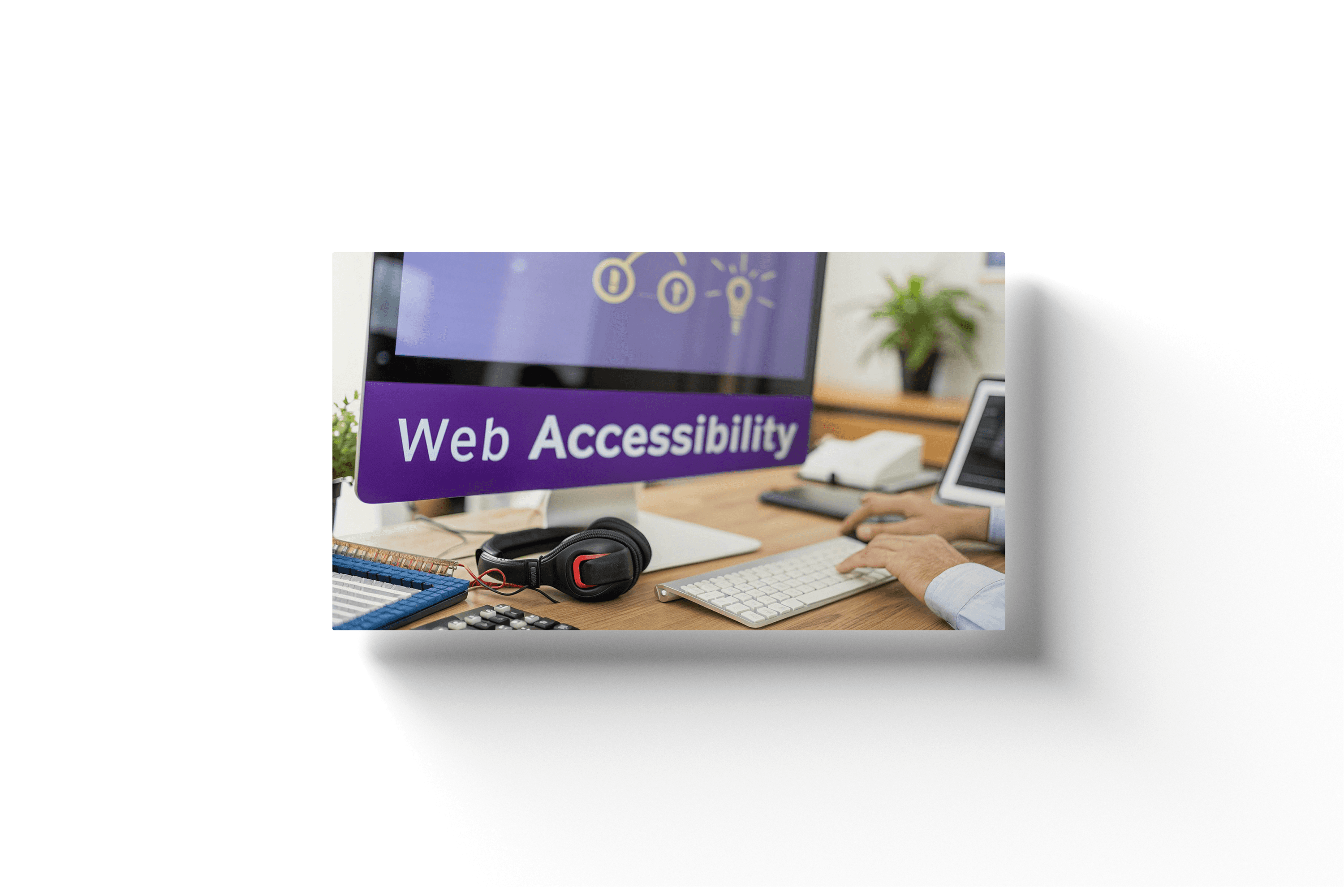
Think of website accessibility like adding a ramp to a physical storefront. Without it, you're unintentionally telling a segment of your customers, "You're not welcome here." An accessible website provides those digital ramps for everyone, making sure your online space is open regardless of someone's visual, hearing, motor, or cognitive abilities.
This isn't just a technical checkbox—it's a fundamental part of a powerful brand identity and the experience you offer. As a leading Brand Identity Agency, Nextus helps businesses build websites that are not only beautiful but also powerfully inclusive, turning accessibility into a competitive advantage.
What Is Website Accessibility, Really?
At its heart, accessibility is about real people. It’s about making sure your website works for everyone, including those with physical disabilities, temporary limitations (like a broken arm), or even those with slow internet connections. When a site is built the right way, everyone gets the same value from it, which is the cornerstone of a strong customer relationship.
Imagine a potential customer who is visually impaired. They use a screen reader—a tool that reads a website's text out loud. If your images are missing descriptive "alt text," they have no idea what you're showing them. That's a dead-end experience, and you've likely lost them for good. This is a common but easily fixable issue that the experts at Nextus can help you identify and solve.
This goes way beyond screen readers. It's about someone with a motor impairment who can only use a keyboard to navigate, or a user with hearing loss who needs captions on your videos. Accessibility is just good, inclusive design.
The Four Core Principles of Web Accessibility (POUR)
The Web Content Accessibility Guidelines (WCAG) give us a solid foundation built on four key principles, easily remembered by the acronym POUR. For businesses looking for expert Web Design Naples FL, understanding these principles is the first step toward building a compliant and high-performing site.
Principle: Perceivable What It Means for Your Brand's Website: Users must be able to perceive the information being presented. This means providing text alternatives for non-text content (like alt text for images) and making it easy to see and hear content.
Principle: Operable What It Means for Your Brand's Website: The interface can't require interaction that a user cannot perform. For example, all functionality should be available from a keyboard, and users should have enough time to read and use the content.
Principle: Understandable What It Means for Your Brand's Website: Information and the operation of the user interface must be understandable. This involves making text readable and predictable, and helping users avoid and correct mistakes.
Principle: Robust What It Means for Your Brand's Website: Content must be robust enough that it can be interpreted reliably by a wide variety of user agents, including assistive technologies. This means using clean, standard-compliant code.
Nailing these four areas is the first major step toward building a truly welcoming digital presence.
Connecting Accessibility to Your Brand and UX
A brand that prioritizes inclusivity sends a powerful message about its values. When customers see you’ve made the effort to include them, it builds a level of trust and loyalty that marketing slogans can't buy. It shows you care. As a premier Brand Identity Agency, we see this as a non-negotiable part of building a modern, respected brand.
Website accessibility and user experience (UX) are two sides of the same coin. An accessible site is almost always a more usable site for everyone, which naturally leads to higher engagement and better conversions.
Think about it: clear navigation, readable fonts, and high-contrast color schemes don't just help users with specific disabilities. They make the experience better for all visitors, reducing friction and making your site a pleasure to use. If you want to go deeper, our guide on what is user experience design breaks down how these small details shape customer perception.
Ultimately, web accessibility isn't a one-and-done project. It’s an ongoing commitment to thinking about all your users, at every step. For a startup or small business, this might feel like a lot, but even starting with the basics makes a huge difference. The goal is simple: tear down the digital barriers and build an online space where everyone feels seen and valued.
The Business Case for Investing in Accessibility
So, we know what accessibility is, but let's get down to brass tacks: why should your business actually invest in it? The answer is simple. Accessibility isn't an expense or a checkbox; it's a powerful engine for business growth, brand strength, and risk management. It's a move that delivers a tangible return, touching every part of your digital strategy.
From a purely commercial view, inaccessibility means you're just leaving money on the table. There's a massive, underserved market actively trying to spend money online, but they're constantly turned away by digital roadblocks. This isn't some tiny niche; it's a global economic force.
The numbers are staggering. With over 1 billion people living with recognized disabilities, ignoring them is a costly mistake. McKinsey estimates that consumer companies lose about $6.9 billion annually because customers just give up on frustrating, inaccessible websites.
Think about it: 71% of users with disabilities will bounce from an inaccessible site immediately. For e-commerce, that translates to a cart abandonment rate hitting a massive 69%. To see the full breakdown of these figures, you can read the full research on web accessibility's economic impact.
Boost Your SEO and User Experience
Search engines like Google are obsessed with one thing: providing the best possible user experience. As it turns out, the technical nuts and bolts of good accessibility overlap almost perfectly with modern SEO best practices.
Simple things like proper heading structures (H1, H2, H3), descriptive alt text for images, and video transcripts do double duty. They don't just help users with disabilities; they give search engine crawlers a crystal-clear roadmap of your content. This well-structured information helps search engines understand what your page is about, which can directly boost your rankings.
Plus, an accessible website is almost always better organized and easier to use for everyone. This is a huge factor in modern AI search engine optimization strategies. A site that’s a breeze to navigate will naturally have lower bounce rates and higher engagement—key signals Google uses to reward quality.
Strengthen Your Brand and Increase Conversions
In a crowded market, a brand that prioritizes accessibility sends a powerful message: we value inclusivity, and we care about all of our customers. This isn't just talk; it's a real differentiator. As a leading Brand Identity Agency, we see it all the time. A brand's actions build far more loyalty than its messaging ever could.
This positive user experience also has a direct line to your bottom line. When a site is easy to navigate, with clear calls-to-action and readable text, it simply converts better for everyone. The core principles of accessibility—simplicity, clarity, and ease of use—are the same principles that drive high-converting design. For a deeper dive, check out our guide on how to improve website conversion rates.
An accessible brand is a trusted brand. By intentionally designing for inclusivity, you create a seamless experience that fosters trust and encourages repeat business from a wider audience.
Mitigate Legal Risks and Future-Proof Your Business
Beyond the market and SEO wins, there's a critical legal angle you can't ignore. In recent years, lawsuits related to the Americans with Disabilities Act (ADA) have skyrocketed, with thousands of businesses getting hit with legal action over inaccessible websites. In 2024 alone, over 4,000 such lawsuits were filed in federal and state courts.
These cases are expensive, not just in legal fees and settlements but in the damage they do to your brand’s reputation. Proactively investing in accessibility is the smartest way to mitigate this risk. For any business, especially those seeking professional Web Design Naples FL services, building a compliant website from day one is far more cost-effective than cleaning up a legal mess later.
By embracing accessibility now, you're not just opening your doors to more customers—you're building a more resilient, future-proof foundation for your brand. Here at Nextus, we can help ensure your digital presence is both beautiful and built for everyone.
Decoding Key Accessibility Standards Like WCAG and ADA
Diving into web accessibility can feel like learning a new language, full of acronyms and legalese. But for any business owner serious about their digital presence, getting a handle on the core standards is non-negotiable. The two biggest names you need to know are WCAG and the ADA.
Think of these standards less like a restrictive rulebook and more like a proven recipe for a better website. When you understand the ingredients, you can have much more productive conversations with your design team and make sure your project is built right from the start.
Understanding the Web Content Accessibility Guidelines (WCAG)
The Web Content Accessibility Guidelines (WCAG) is the undisputed global gold standard. It’s a technical framework that breaks down exactly how to make web content accessible to people with a wide spectrum of disabilities. WCAG is built on those four principles we mentioned earlier: Perceivable, Operable, Understandable, and Robust (POUR).
But WCAG gets more specific by providing clear, testable criteria for success. These are grouped into three different levels of conformance, which act like tiers of achievement.
Level A (The Foundation) This is the absolute baseline. Hitting these criteria removes the most common and severe roadblocks for users with disabilities. Consider this the essential, must-have starting point for any website.
Level AA (The Industry Standard) This is the sweet spot and the target for most websites. It's also the level most often referenced in legal situations. Level AA conformance ensures your site is usable and easy to understand for the vast majority of people with disabilities. As a professional Brand Identity Agency, we build all our client websites to meet or exceed Level AA, as it strikes the perfect balance between robust accessibility and creative design.
Level AAA (The Highest Standard) This is the most comprehensive and demanding level. While it's an admirable goal, achieving full AAA conformance across an entire website can be incredibly difficult and isn't always practical. It’s usually reserved for highly specialized websites built for a specific disabled community.
For almost every business, the strategic goal is WCAG 2.1 Level AA. It delivers solid compliance and a fantastic user experience without bogging down the design and development process.
The Americans with Disabilities Act (ADA) and Your Website
Now, let’s talk law. The Americans with Disabilities Act (ADA) is a landmark U.S. civil rights law that bans discrimination against people with disabilities in all areas of public life. Even though the ADA was signed into law back in 1990—long before the internet became what it is today—U.S. courts have consistently ruled that it applies to websites.
The reason is simple: websites are now considered "places of public accommodation."
A website is essentially the digital front door to your business. If certain users can't get through that door due to digital barriers, it's viewed as a form of discrimination, just like a physical store without a wheelchair ramp.
This is exactly why we've seen a massive spike in ADA-related lawsuits, with over 4,000 cases filed in 2024 alone. These lawsuits are expensive, drain your time, and can do serious damage to your brand’s reputation. This is especially true for businesses looking for Web Design Naples, FL services, as Florida is a hotspot for these legal filings.
The main takeaway here is that ADA compliance isn't optional. While the law itself doesn't mention WCAG by name, the Department of Justice and the courts repeatedly use WCAG 2.1 Level AA as the benchmark to decide if a website is accessible. The safest way to protect your business is to partner with an agency like Nextus that gets these legal nuances and can build a website that's truly open for everyone.
Think of website accessibility like adding a ramp to a physical storefront. Without it, you're unintentionally telling a segment of your customers, "You're not welcome here." An accessible website provides those digital ramps for everyone, making sure your online space is open regardless of someone's visual, hearing, motor, or cognitive abilities.
This isn't just a technical checkbox—it's a fundamental part of a powerful brand identity and the experience you offer. As a leading Brand Identity Agency, Nextus helps businesses build websites that are not only beautiful but also powerfully inclusive, turning accessibility into a competitive advantage.
What Is Website Accessibility, Really?
At its heart, accessibility is about real people. It’s about making sure your website works for everyone, including those with physical disabilities, temporary limitations (like a broken arm), or even those with slow internet connections. When a site is built the right way, everyone gets the same value from it, which is the cornerstone of a strong customer relationship.
Imagine a potential customer who is visually impaired. They use a screen reader—a tool that reads a website's text out loud. If your images are missing descriptive "alt text," they have no idea what you're showing them. That's a dead-end experience, and you've likely lost them for good. This is a common but easily fixable issue that the experts at Nextus can help you identify and solve.
This goes way beyond screen readers. It's about someone with a motor impairment who can only use a keyboard to navigate, or a user with hearing loss who needs captions on your videos. Accessibility is just good, inclusive design.
The Four Core Principles of Web Accessibility (POUR)
The Web Content Accessibility Guidelines (WCAG) give us a solid foundation built on four key principles, easily remembered by the acronym POUR. For businesses looking for expert Web Design Naples FL, understanding these principles is the first step toward building a compliant and high-performing site.
Principle: Perceivable What It Means for Your Brand's Website: Users must be able to perceive the information being presented. This means providing text alternatives for non-text content (like alt text for images) and making it easy to see and hear content.
Principle: Operable What It Means for Your Brand's Website: The interface can't require interaction that a user cannot perform. For example, all functionality should be available from a keyboard, and users should have enough time to read and use the content.
Principle: Understandable What It Means for Your Brand's Website: Information and the operation of the user interface must be understandable. This involves making text readable and predictable, and helping users avoid and correct mistakes.
Principle: Robust What It Means for Your Brand's Website: Content must be robust enough that it can be interpreted reliably by a wide variety of user agents, including assistive technologies. This means using clean, standard-compliant code.
Nailing these four areas is the first major step toward building a truly welcoming digital presence.
Connecting Accessibility to Your Brand and UX
A brand that prioritizes inclusivity sends a powerful message about its values. When customers see you’ve made the effort to include them, it builds a level of trust and loyalty that marketing slogans can't buy. It shows you care. As a premier Brand Identity Agency, we see this as a non-negotiable part of building a modern, respected brand.
Website accessibility and user experience (UX) are two sides of the same coin. An accessible site is almost always a more usable site for everyone, which naturally leads to higher engagement and better conversions.
Think about it: clear navigation, readable fonts, and high-contrast color schemes don't just help users with specific disabilities. They make the experience better for all visitors, reducing friction and making your site a pleasure to use. If you want to go deeper, our guide on what is user experience design breaks down how these small details shape customer perception.
Ultimately, web accessibility isn't a one-and-done project. It’s an ongoing commitment to thinking about all your users, at every step. For a startup or small business, this might feel like a lot, but even starting with the basics makes a huge difference. The goal is simple: tear down the digital barriers and build an online space where everyone feels seen and valued.
The Business Case for Investing in Accessibility
So, we know what accessibility is, but let's get down to brass tacks: why should your business actually invest in it? The answer is simple. Accessibility isn't an expense or a checkbox; it's a powerful engine for business growth, brand strength, and risk management. It's a move that delivers a tangible return, touching every part of your digital strategy.
From a purely commercial view, inaccessibility means you're just leaving money on the table. There's a massive, underserved market actively trying to spend money online, but they're constantly turned away by digital roadblocks. This isn't some tiny niche; it's a global economic force.
The numbers are staggering. With over 1 billion people living with recognized disabilities, ignoring them is a costly mistake. McKinsey estimates that consumer companies lose about $6.9 billion annually because customers just give up on frustrating, inaccessible websites.
Think about it: 71% of users with disabilities will bounce from an inaccessible site immediately. For e-commerce, that translates to a cart abandonment rate hitting a massive 69%. To see the full breakdown of these figures, you can read the full research on web accessibility's economic impact.
Boost Your SEO and User Experience
Search engines like Google are obsessed with one thing: providing the best possible user experience. As it turns out, the technical nuts and bolts of good accessibility overlap almost perfectly with modern SEO best practices.
Simple things like proper heading structures (H1, H2, H3), descriptive alt text for images, and video transcripts do double duty. They don't just help users with disabilities; they give search engine crawlers a crystal-clear roadmap of your content. This well-structured information helps search engines understand what your page is about, which can directly boost your rankings.
Plus, an accessible website is almost always better organized and easier to use for everyone. This is a huge factor in modern AI search engine optimization strategies. A site that’s a breeze to navigate will naturally have lower bounce rates and higher engagement—key signals Google uses to reward quality.
Strengthen Your Brand and Increase Conversions
In a crowded market, a brand that prioritizes accessibility sends a powerful message: we value inclusivity, and we care about all of our customers. This isn't just talk; it's a real differentiator. As a leading Brand Identity Agency, we see it all the time. A brand's actions build far more loyalty than its messaging ever could.
This positive user experience also has a direct line to your bottom line. When a site is easy to navigate, with clear calls-to-action and readable text, it simply converts better for everyone. The core principles of accessibility—simplicity, clarity, and ease of use—are the same principles that drive high-converting design. For a deeper dive, check out our guide on how to improve website conversion rates.
An accessible brand is a trusted brand. By intentionally designing for inclusivity, you create a seamless experience that fosters trust and encourages repeat business from a wider audience.
Mitigate Legal Risks and Future-Proof Your Business
Beyond the market and SEO wins, there's a critical legal angle you can't ignore. In recent years, lawsuits related to the Americans with Disabilities Act (ADA) have skyrocketed, with thousands of businesses getting hit with legal action over inaccessible websites. In 2024 alone, over 4,000 such lawsuits were filed in federal and state courts.
These cases are expensive, not just in legal fees and settlements but in the damage they do to your brand’s reputation. Proactively investing in accessibility is the smartest way to mitigate this risk. For any business, especially those seeking professional Web Design Naples FL services, building a compliant website from day one is far more cost-effective than cleaning up a legal mess later.
By embracing accessibility now, you're not just opening your doors to more customers—you're building a more resilient, future-proof foundation for your brand. Here at Nextus, we can help ensure your digital presence is both beautiful and built for everyone.
Decoding Key Accessibility Standards Like WCAG and ADA
Diving into web accessibility can feel like learning a new language, full of acronyms and legalese. But for any business owner serious about their digital presence, getting a handle on the core standards is non-negotiable. The two biggest names you need to know are WCAG and the ADA.
Think of these standards less like a restrictive rulebook and more like a proven recipe for a better website. When you understand the ingredients, you can have much more productive conversations with your design team and make sure your project is built right from the start.
Understanding the Web Content Accessibility Guidelines (WCAG)
The Web Content Accessibility Guidelines (WCAG) is the undisputed global gold standard. It’s a technical framework that breaks down exactly how to make web content accessible to people with a wide spectrum of disabilities. WCAG is built on those four principles we mentioned earlier: Perceivable, Operable, Understandable, and Robust (POUR).
But WCAG gets more specific by providing clear, testable criteria for success. These are grouped into three different levels of conformance, which act like tiers of achievement.
Level A (The Foundation) This is the absolute baseline. Hitting these criteria removes the most common and severe roadblocks for users with disabilities. Consider this the essential, must-have starting point for any website.
Level AA (The Industry Standard) This is the sweet spot and the target for most websites. It's also the level most often referenced in legal situations. Level AA conformance ensures your site is usable and easy to understand for the vast majority of people with disabilities. As a professional Brand Identity Agency, we build all our client websites to meet or exceed Level AA, as it strikes the perfect balance between robust accessibility and creative design.
Level AAA (The Highest Standard) This is the most comprehensive and demanding level. While it's an admirable goal, achieving full AAA conformance across an entire website can be incredibly difficult and isn't always practical. It’s usually reserved for highly specialized websites built for a specific disabled community.
For almost every business, the strategic goal is WCAG 2.1 Level AA. It delivers solid compliance and a fantastic user experience without bogging down the design and development process.
The Americans with Disabilities Act (ADA) and Your Website
Now, let’s talk law. The Americans with Disabilities Act (ADA) is a landmark U.S. civil rights law that bans discrimination against people with disabilities in all areas of public life. Even though the ADA was signed into law back in 1990—long before the internet became what it is today—U.S. courts have consistently ruled that it applies to websites.
The reason is simple: websites are now considered "places of public accommodation."
A website is essentially the digital front door to your business. If certain users can't get through that door due to digital barriers, it's viewed as a form of discrimination, just like a physical store without a wheelchair ramp.
This is exactly why we've seen a massive spike in ADA-related lawsuits, with over 4,000 cases filed in 2024 alone. These lawsuits are expensive, drain your time, and can do serious damage to your brand’s reputation. This is especially true for businesses looking for Web Design Naples, FL services, as Florida is a hotspot for these legal filings.
The main takeaway here is that ADA compliance isn't optional. While the law itself doesn't mention WCAG by name, the Department of Justice and the courts repeatedly use WCAG 2.1 Level AA as the benchmark to decide if a website is accessible. The safest way to protect your business is to partner with an agency like Nextus that gets these legal nuances and can build a website that's truly open for everyone.
Think of website accessibility like adding a ramp to a physical storefront. Without it, you're unintentionally telling a segment of your customers, "You're not welcome here." An accessible website provides those digital ramps for everyone, making sure your online space is open regardless of someone's visual, hearing, motor, or cognitive abilities.
This isn't just a technical checkbox—it's a fundamental part of a powerful brand identity and the experience you offer. As a leading Brand Identity Agency, Nextus helps businesses build websites that are not only beautiful but also powerfully inclusive, turning accessibility into a competitive advantage.
What Is Website Accessibility, Really?
At its heart, accessibility is about real people. It’s about making sure your website works for everyone, including those with physical disabilities, temporary limitations (like a broken arm), or even those with slow internet connections. When a site is built the right way, everyone gets the same value from it, which is the cornerstone of a strong customer relationship.
Imagine a potential customer who is visually impaired. They use a screen reader—a tool that reads a website's text out loud. If your images are missing descriptive "alt text," they have no idea what you're showing them. That's a dead-end experience, and you've likely lost them for good. This is a common but easily fixable issue that the experts at Nextus can help you identify and solve.
This goes way beyond screen readers. It's about someone with a motor impairment who can only use a keyboard to navigate, or a user with hearing loss who needs captions on your videos. Accessibility is just good, inclusive design.
The Four Core Principles of Web Accessibility (POUR)
The Web Content Accessibility Guidelines (WCAG) give us a solid foundation built on four key principles, easily remembered by the acronym POUR. For businesses looking for expert Web Design Naples FL, understanding these principles is the first step toward building a compliant and high-performing site.
Principle: Perceivable What It Means for Your Brand's Website: Users must be able to perceive the information being presented. This means providing text alternatives for non-text content (like alt text for images) and making it easy to see and hear content.
Principle: Operable What It Means for Your Brand's Website: The interface can't require interaction that a user cannot perform. For example, all functionality should be available from a keyboard, and users should have enough time to read and use the content.
Principle: Understandable What It Means for Your Brand's Website: Information and the operation of the user interface must be understandable. This involves making text readable and predictable, and helping users avoid and correct mistakes.
Principle: Robust What It Means for Your Brand's Website: Content must be robust enough that it can be interpreted reliably by a wide variety of user agents, including assistive technologies. This means using clean, standard-compliant code.
Nailing these four areas is the first major step toward building a truly welcoming digital presence.
Connecting Accessibility to Your Brand and UX
A brand that prioritizes inclusivity sends a powerful message about its values. When customers see you’ve made the effort to include them, it builds a level of trust and loyalty that marketing slogans can't buy. It shows you care. As a premier Brand Identity Agency, we see this as a non-negotiable part of building a modern, respected brand.
Website accessibility and user experience (UX) are two sides of the same coin. An accessible site is almost always a more usable site for everyone, which naturally leads to higher engagement and better conversions.
Think about it: clear navigation, readable fonts, and high-contrast color schemes don't just help users with specific disabilities. They make the experience better for all visitors, reducing friction and making your site a pleasure to use. If you want to go deeper, our guide on what is user experience design breaks down how these small details shape customer perception.
Ultimately, web accessibility isn't a one-and-done project. It’s an ongoing commitment to thinking about all your users, at every step. For a startup or small business, this might feel like a lot, but even starting with the basics makes a huge difference. The goal is simple: tear down the digital barriers and build an online space where everyone feels seen and valued.
The Business Case for Investing in Accessibility
So, we know what accessibility is, but let's get down to brass tacks: why should your business actually invest in it? The answer is simple. Accessibility isn't an expense or a checkbox; it's a powerful engine for business growth, brand strength, and risk management. It's a move that delivers a tangible return, touching every part of your digital strategy.
From a purely commercial view, inaccessibility means you're just leaving money on the table. There's a massive, underserved market actively trying to spend money online, but they're constantly turned away by digital roadblocks. This isn't some tiny niche; it's a global economic force.
The numbers are staggering. With over 1 billion people living with recognized disabilities, ignoring them is a costly mistake. McKinsey estimates that consumer companies lose about $6.9 billion annually because customers just give up on frustrating, inaccessible websites.
Think about it: 71% of users with disabilities will bounce from an inaccessible site immediately. For e-commerce, that translates to a cart abandonment rate hitting a massive 69%. To see the full breakdown of these figures, you can read the full research on web accessibility's economic impact.
Boost Your SEO and User Experience
Search engines like Google are obsessed with one thing: providing the best possible user experience. As it turns out, the technical nuts and bolts of good accessibility overlap almost perfectly with modern SEO best practices.
Simple things like proper heading structures (H1, H2, H3), descriptive alt text for images, and video transcripts do double duty. They don't just help users with disabilities; they give search engine crawlers a crystal-clear roadmap of your content. This well-structured information helps search engines understand what your page is about, which can directly boost your rankings.
Plus, an accessible website is almost always better organized and easier to use for everyone. This is a huge factor in modern AI search engine optimization strategies. A site that’s a breeze to navigate will naturally have lower bounce rates and higher engagement—key signals Google uses to reward quality.
Strengthen Your Brand and Increase Conversions
In a crowded market, a brand that prioritizes accessibility sends a powerful message: we value inclusivity, and we care about all of our customers. This isn't just talk; it's a real differentiator. As a leading Brand Identity Agency, we see it all the time. A brand's actions build far more loyalty than its messaging ever could.
This positive user experience also has a direct line to your bottom line. When a site is easy to navigate, with clear calls-to-action and readable text, it simply converts better for everyone. The core principles of accessibility—simplicity, clarity, and ease of use—are the same principles that drive high-converting design. For a deeper dive, check out our guide on how to improve website conversion rates.
An accessible brand is a trusted brand. By intentionally designing for inclusivity, you create a seamless experience that fosters trust and encourages repeat business from a wider audience.
Mitigate Legal Risks and Future-Proof Your Business
Beyond the market and SEO wins, there's a critical legal angle you can't ignore. In recent years, lawsuits related to the Americans with Disabilities Act (ADA) have skyrocketed, with thousands of businesses getting hit with legal action over inaccessible websites. In 2024 alone, over 4,000 such lawsuits were filed in federal and state courts.
These cases are expensive, not just in legal fees and settlements but in the damage they do to your brand’s reputation. Proactively investing in accessibility is the smartest way to mitigate this risk. For any business, especially those seeking professional Web Design Naples FL services, building a compliant website from day one is far more cost-effective than cleaning up a legal mess later.
By embracing accessibility now, you're not just opening your doors to more customers—you're building a more resilient, future-proof foundation for your brand. Here at Nextus, we can help ensure your digital presence is both beautiful and built for everyone.
Decoding Key Accessibility Standards Like WCAG and ADA
Diving into web accessibility can feel like learning a new language, full of acronyms and legalese. But for any business owner serious about their digital presence, getting a handle on the core standards is non-negotiable. The two biggest names you need to know are WCAG and the ADA.
Think of these standards less like a restrictive rulebook and more like a proven recipe for a better website. When you understand the ingredients, you can have much more productive conversations with your design team and make sure your project is built right from the start.
Understanding the Web Content Accessibility Guidelines (WCAG)
The Web Content Accessibility Guidelines (WCAG) is the undisputed global gold standard. It’s a technical framework that breaks down exactly how to make web content accessible to people with a wide spectrum of disabilities. WCAG is built on those four principles we mentioned earlier: Perceivable, Operable, Understandable, and Robust (POUR).
But WCAG gets more specific by providing clear, testable criteria for success. These are grouped into three different levels of conformance, which act like tiers of achievement.
Level A (The Foundation) This is the absolute baseline. Hitting these criteria removes the most common and severe roadblocks for users with disabilities. Consider this the essential, must-have starting point for any website.
Level AA (The Industry Standard) This is the sweet spot and the target for most websites. It's also the level most often referenced in legal situations. Level AA conformance ensures your site is usable and easy to understand for the vast majority of people with disabilities. As a professional Brand Identity Agency, we build all our client websites to meet or exceed Level AA, as it strikes the perfect balance between robust accessibility and creative design.
Level AAA (The Highest Standard) This is the most comprehensive and demanding level. While it's an admirable goal, achieving full AAA conformance across an entire website can be incredibly difficult and isn't always practical. It’s usually reserved for highly specialized websites built for a specific disabled community.
For almost every business, the strategic goal is WCAG 2.1 Level AA. It delivers solid compliance and a fantastic user experience without bogging down the design and development process.
The Americans with Disabilities Act (ADA) and Your Website
Now, let’s talk law. The Americans with Disabilities Act (ADA) is a landmark U.S. civil rights law that bans discrimination against people with disabilities in all areas of public life. Even though the ADA was signed into law back in 1990—long before the internet became what it is today—U.S. courts have consistently ruled that it applies to websites.
The reason is simple: websites are now considered "places of public accommodation."
A website is essentially the digital front door to your business. If certain users can't get through that door due to digital barriers, it's viewed as a form of discrimination, just like a physical store without a wheelchair ramp.
This is exactly why we've seen a massive spike in ADA-related lawsuits, with over 4,000 cases filed in 2024 alone. These lawsuits are expensive, drain your time, and can do serious damage to your brand’s reputation. This is especially true for businesses looking for Web Design Naples, FL services, as Florida is a hotspot for these legal filings.
The main takeaway here is that ADA compliance isn't optional. While the law itself doesn't mention WCAG by name, the Department of Justice and the courts repeatedly use WCAG 2.1 Level AA as the benchmark to decide if a website is accessible. The safest way to protect your business is to partner with an agency like Nextus that gets these legal nuances and can build a website that's truly open for everyone.
Common Accessibility Barriers Frustrating Your Users
To really get why website accessibility matters, you have to see it from the user's perspective. These aren't just technical glitches; they’re genuine, frustrating roadblocks that turn paying customers away and quietly tarnish your brand's reputation. Once you see your website through their eyes, the need for inclusive design becomes crystal clear.
Picture this: a potential customer is using a screen reader to browse your online store. They’re ready to buy, but because your product images are missing descriptive alternative text (alt text), all their device can say is "image123.jpg." They have no idea what the product looks like, its color, or any of its key features. Annoyed, they leave. That’s a sale gone forever.
This kind of scenario is way more common than most businesses think. These digital hurdles are rarely intentional, but they have serious consequences. They create a miserable user experience that takes a direct hit at your bottom line.
Visual and Auditory Obstacles
So many of the most frequent accessibility issues boil down to how users perceive information. These barriers can make it flat-out impossible for people with visual or hearing impairments to understand your content, effectively slamming the door on the conversation your brand is trying to start.
A huge offender is low-contrast text. Think of that trendy, light gray text on a white background. It might look slick to a designer, but for a user with low vision, it can be completely unreadable. This is a massive failure, especially when it involves critical information like pricing, contact details, or your main call-to-action.
In the same way, uncaptioned videos create a dead end for users who are deaf or hard of hearing. If your latest marketing video or product tutorial doesn't have captions, you're shutting out an entire audience segment from getting your message. As a leading Brand Identity Agency, we know a brand’s message is only powerful if everyone can receive it.
Navigational and Interactive Roadblocks
For users with motor impairments who can't use a mouse, the keyboard is everything. When a website isn't built for keyboard-only navigation, it can become a digital mousetrap. Users might get stuck in a pop-up with no way to press "escape" or find themselves unable to reach the main menu because it only activates with a mouse hover.
Poorly designed online forms are another common point of frustration. Forms without clear labels, confusing error messages, or that can't be navigated with a keyboard can make simple tasks like signing up for a newsletter or checking out completely impossible. Each one of these friction points is another reason for a customer to ditch your site for a competitor’s.
The WebAIM Million report, an analysis of the top one million homepages, found that a staggering 95% had detectable WCAG conformance failures. These aren't minor slip-ups; they are widespread, persistent problems creating daily headaches for millions of users.
That same report found that low-contrast text was present on 83.6% of homepages, and a massive 22.1% of images were missing descriptive alt text. With an average of about 51 errors per page, users with disabilities run into an accessibility error on roughly 1 in every 24 things they try to interact with.
These aren't just numbers; they represent lost sales, abandoned carts, and broken trust. Fixing these issues isn't just about compliance—it's a core business strategy. When you're looking for Web Design Naples FL services, it’s critical to partner with an agency that gets these pain points and builds solutions from the ground up. At Nextus, we can help you find and fix these frustrating barriers, making sure your digital front door is wide open to everyone.
How to Perform a Quick Accessibility Check Yourself
Feeling a bit lost in all the technical jargon and legal worries? Good news. You don't have to be a developer to get started. Running a quick, manual check on your own site can uncover some surprisingly big issues and show you the "low-hanging fruit" you can fix right away.
This first pass isn't about catching every single bug. It's about learning to see your website through a different lens and spotting the most obvious roadblocks that could be turning away good customers. Think of it as a practical starting point that arms you with enough knowledge to have a smarter conversation with a web professional.
Start with Simple Manual Tests
Before you even think about automated tools, a few hands-on tests can give you powerful, real-world insights into your site's usability. These simple checks are designed to mimic how people with certain disabilities actually use the web.
The Keyboard-Only Test Disconnect your mouse. Seriously. Now, try to get around your website using only your keyboard. Use the Tab key to jump between links, buttons, and form fields, and Shift + Tab to go backward. Can you tell where you are on the page at all times? A visible outline or box should appear around each element you land on. If it doesn't, keyboard-only users are navigating completely in the dark.
The Form Field Check Head over to your contact or checkout form. Can you fill out every single field, tick every box, and hit "submit" using just the keyboard? If you get stuck anywhere, you've just found a major barrier that's actively costing you leads or sales.
These manual tests are great for uncovering common problems, from text that's hard to read against its background to confusing navigation flows.
Leveraging Automated Checking Tools
After you've done some hands-on testing, automated tools can scan your site's code for common errors. One of the most popular and easy-to-use options is the WAVE Web Accessibility Evaluation Tool. Just plug in your website's URL, and it spits back an annotated version of your page, flagging potential problems.
Important Caveat: Automated tools are a great first look, but they are far from perfect. They typically only catch about 30-40% of all potential accessibility issues because they can't understand context or the nuances of a human experience. Nothing replaces real human testing.
The Next Step: A Comprehensive Audit
A quick self-check is an awesome way to get the ball rolling. But for a truly thorough analysis that covers all your bases, a professional audit is the way to go. You can get a feel for what a deep dive involves by checking out our comprehensive website audit checklist.
For any business serious about growth and minimizing risk, partnering with an expert is the most effective path forward. At Nextus, we perform deep-dive analyses and create a prioritized plan to fix what's broken. We help businesses turn accessibility from a liability into a powerful competitive advantage.
Building an Accessible Future for Your Brand
Getting website accessibility right isn't a "one and done" task—it's an ongoing commitment. Think of it as a journey into inclusivity that ultimately strengthens your brand, opens up your market, and drives real business growth. Every journey starts with a single step, whether that's the quick keyboard test we covered earlier or the decision to build out a real, long-term strategy.
Here’s the essential takeaway: a powerful brand is an accessible one. When you put inclusive design at the forefront, you’re not just checking a box to meet some standards. You're building a more resilient, customer-focused business that genuinely connects with the largest possible audience. That commitment pays off in spades through brand loyalty and how people see you, proving you value every single person who might want to do business with you.
Your Actionable Next Steps
Making a real start is simpler than you might think. Just begin by looking over your highest-traffic pages—like your homepage and main service pages—for the common roadblocks we discussed. As you move forward, remember that accessibility goes way beyond just the words on a page. For instance, you can learn more about understanding closed captions and their role in video accessibility to boost SEO and engagement for your brand.
Taking these proactive steps builds a much stronger foundation for your entire digital presence. Of course, when you're ready to go beyond the basics and weave accessibility into the very core of your business, getting professional guidance is key.
If you’re ready to build an inclusive digital presence that actually performs, our team at Nextus is here to help. As a premier brand identity agency specializing in high-performance Web Design Naples FL solutions, we build accessibility into your brand’s DNA from the ground up. We make sure your website isn't just a pretty face but is built to connect with every potential customer, turning inclusivity into a serious competitive advantage. Let's build a brand that truly welcomes everyone.
Frequently Asked Questions About Web Accessibility
As you start digging into accessibility, it's normal for a few questions to pop up. We get it. Here are some quick, straightforward answers to the most common things we hear from business owners, designed to give you the clarity you need to move forward.
Is Web Accessibility Only for Blind Users?
This is easily one of the biggest myths out there. While making a site accessible is absolutely critical for people who are blind and use screen readers, the reality is that the benefits reach so much further.
Think about it: accessibility also helps people with hearing impairments who need captions, those with motor issues who can only use a keyboard to navigate, and even users with cognitive disabilities who benefit from simple, predictable layouts.
It doesn't stop there. Accessibility is just good design for everyone. Ever tried reading your phone in bright sunlight? High contrast helps. Navigating a site with a broken arm? Keyboard navigation is a lifesaver. Stuck with a slow internet connection? An accessible, efficiently built site loads faster.
Will Making My Website Accessible Hurt Its Design?
Not a chance. In fact, it’s quite the opposite. Great design and solid accessibility are two sides of the same coin.
The principles that drive accessible design—things like clean navigation, readable fonts, and strong color contrast—are the very same things that create an amazing user experience for all your visitors. A skilled design team knows how to create a visually stunning website that is also fully compliant.
As a leading Brand Identity Agency, we firmly believe you should never have to compromise between beautiful aesthetics and genuine inclusivity. The right approach ensures your site looks incredible while making every single person feel welcome.
How Much Does It Cost to Make a Website Accessible?
The cost really depends on your site's size, its complexity, and where it's starting from. The most cost-effective way to do it is to build accessibility in from the very beginning. For businesses looking for Web Design Naples FL services, making this part of the initial plan is a smart, forward-thinking investment that saves a lot of headaches later on.
If you’re working with an existing site, fixing it can range from a few minor tweaks to a more significant project. But here's the key: you have to see this as an investment, not a cost. This investment shields you from major legal risks, opens your brand up to a much larger market, and ultimately delivers a huge return. The long-term ROI from gaining more customers and building more trust almost always outweighs the initial expense.
Not sure where to begin? The experts at Nextus can take a look at your site and help build a clear, effective plan that makes sense for your business.
Ready to build a brand that welcomes everyone and drives real results? At Nextus Digital Solutions, we integrate accessibility into the core of your digital strategy, ensuring your website is powerful, inclusive, and high-performing. Let's create an unforgettable digital experience together.
Common Accessibility Barriers Frustrating Your Users
To really get why website accessibility matters, you have to see it from the user's perspective. These aren't just technical glitches; they’re genuine, frustrating roadblocks that turn paying customers away and quietly tarnish your brand's reputation. Once you see your website through their eyes, the need for inclusive design becomes crystal clear.
Picture this: a potential customer is using a screen reader to browse your online store. They’re ready to buy, but because your product images are missing descriptive alternative text (alt text), all their device can say is "image123.jpg." They have no idea what the product looks like, its color, or any of its key features. Annoyed, they leave. That’s a sale gone forever.
This kind of scenario is way more common than most businesses think. These digital hurdles are rarely intentional, but they have serious consequences. They create a miserable user experience that takes a direct hit at your bottom line.
Visual and Auditory Obstacles
So many of the most frequent accessibility issues boil down to how users perceive information. These barriers can make it flat-out impossible for people with visual or hearing impairments to understand your content, effectively slamming the door on the conversation your brand is trying to start.
A huge offender is low-contrast text. Think of that trendy, light gray text on a white background. It might look slick to a designer, but for a user with low vision, it can be completely unreadable. This is a massive failure, especially when it involves critical information like pricing, contact details, or your main call-to-action.
In the same way, uncaptioned videos create a dead end for users who are deaf or hard of hearing. If your latest marketing video or product tutorial doesn't have captions, you're shutting out an entire audience segment from getting your message. As a leading Brand Identity Agency, we know a brand’s message is only powerful if everyone can receive it.
Navigational and Interactive Roadblocks
For users with motor impairments who can't use a mouse, the keyboard is everything. When a website isn't built for keyboard-only navigation, it can become a digital mousetrap. Users might get stuck in a pop-up with no way to press "escape" or find themselves unable to reach the main menu because it only activates with a mouse hover.
Poorly designed online forms are another common point of frustration. Forms without clear labels, confusing error messages, or that can't be navigated with a keyboard can make simple tasks like signing up for a newsletter or checking out completely impossible. Each one of these friction points is another reason for a customer to ditch your site for a competitor’s.
The WebAIM Million report, an analysis of the top one million homepages, found that a staggering 95% had detectable WCAG conformance failures. These aren't minor slip-ups; they are widespread, persistent problems creating daily headaches for millions of users.
That same report found that low-contrast text was present on 83.6% of homepages, and a massive 22.1% of images were missing descriptive alt text. With an average of about 51 errors per page, users with disabilities run into an accessibility error on roughly 1 in every 24 things they try to interact with.
These aren't just numbers; they represent lost sales, abandoned carts, and broken trust. Fixing these issues isn't just about compliance—it's a core business strategy. When you're looking for Web Design Naples FL services, it’s critical to partner with an agency that gets these pain points and builds solutions from the ground up. At Nextus, we can help you find and fix these frustrating barriers, making sure your digital front door is wide open to everyone.
How to Perform a Quick Accessibility Check Yourself
Feeling a bit lost in all the technical jargon and legal worries? Good news. You don't have to be a developer to get started. Running a quick, manual check on your own site can uncover some surprisingly big issues and show you the "low-hanging fruit" you can fix right away.
This first pass isn't about catching every single bug. It's about learning to see your website through a different lens and spotting the most obvious roadblocks that could be turning away good customers. Think of it as a practical starting point that arms you with enough knowledge to have a smarter conversation with a web professional.
Start with Simple Manual Tests
Before you even think about automated tools, a few hands-on tests can give you powerful, real-world insights into your site's usability. These simple checks are designed to mimic how people with certain disabilities actually use the web.
The Keyboard-Only Test Disconnect your mouse. Seriously. Now, try to get around your website using only your keyboard. Use the Tab key to jump between links, buttons, and form fields, and Shift + Tab to go backward. Can you tell where you are on the page at all times? A visible outline or box should appear around each element you land on. If it doesn't, keyboard-only users are navigating completely in the dark.
The Form Field Check Head over to your contact or checkout form. Can you fill out every single field, tick every box, and hit "submit" using just the keyboard? If you get stuck anywhere, you've just found a major barrier that's actively costing you leads or sales.
These manual tests are great for uncovering common problems, from text that's hard to read against its background to confusing navigation flows.
Leveraging Automated Checking Tools
After you've done some hands-on testing, automated tools can scan your site's code for common errors. One of the most popular and easy-to-use options is the WAVE Web Accessibility Evaluation Tool. Just plug in your website's URL, and it spits back an annotated version of your page, flagging potential problems.
Important Caveat: Automated tools are a great first look, but they are far from perfect. They typically only catch about 30-40% of all potential accessibility issues because they can't understand context or the nuances of a human experience. Nothing replaces real human testing.
The Next Step: A Comprehensive Audit
A quick self-check is an awesome way to get the ball rolling. But for a truly thorough analysis that covers all your bases, a professional audit is the way to go. You can get a feel for what a deep dive involves by checking out our comprehensive website audit checklist.
For any business serious about growth and minimizing risk, partnering with an expert is the most effective path forward. At Nextus, we perform deep-dive analyses and create a prioritized plan to fix what's broken. We help businesses turn accessibility from a liability into a powerful competitive advantage.
Building an Accessible Future for Your Brand
Getting website accessibility right isn't a "one and done" task—it's an ongoing commitment. Think of it as a journey into inclusivity that ultimately strengthens your brand, opens up your market, and drives real business growth. Every journey starts with a single step, whether that's the quick keyboard test we covered earlier or the decision to build out a real, long-term strategy.
Here’s the essential takeaway: a powerful brand is an accessible one. When you put inclusive design at the forefront, you’re not just checking a box to meet some standards. You're building a more resilient, customer-focused business that genuinely connects with the largest possible audience. That commitment pays off in spades through brand loyalty and how people see you, proving you value every single person who might want to do business with you.
Your Actionable Next Steps
Making a real start is simpler than you might think. Just begin by looking over your highest-traffic pages—like your homepage and main service pages—for the common roadblocks we discussed. As you move forward, remember that accessibility goes way beyond just the words on a page. For instance, you can learn more about understanding closed captions and their role in video accessibility to boost SEO and engagement for your brand.
Taking these proactive steps builds a much stronger foundation for your entire digital presence. Of course, when you're ready to go beyond the basics and weave accessibility into the very core of your business, getting professional guidance is key.
If you’re ready to build an inclusive digital presence that actually performs, our team at Nextus is here to help. As a premier brand identity agency specializing in high-performance Web Design Naples FL solutions, we build accessibility into your brand’s DNA from the ground up. We make sure your website isn't just a pretty face but is built to connect with every potential customer, turning inclusivity into a serious competitive advantage. Let's build a brand that truly welcomes everyone.
Frequently Asked Questions About Web Accessibility
As you start digging into accessibility, it's normal for a few questions to pop up. We get it. Here are some quick, straightforward answers to the most common things we hear from business owners, designed to give you the clarity you need to move forward.
Is Web Accessibility Only for Blind Users?
This is easily one of the biggest myths out there. While making a site accessible is absolutely critical for people who are blind and use screen readers, the reality is that the benefits reach so much further.
Think about it: accessibility also helps people with hearing impairments who need captions, those with motor issues who can only use a keyboard to navigate, and even users with cognitive disabilities who benefit from simple, predictable layouts.
It doesn't stop there. Accessibility is just good design for everyone. Ever tried reading your phone in bright sunlight? High contrast helps. Navigating a site with a broken arm? Keyboard navigation is a lifesaver. Stuck with a slow internet connection? An accessible, efficiently built site loads faster.
Will Making My Website Accessible Hurt Its Design?
Not a chance. In fact, it’s quite the opposite. Great design and solid accessibility are two sides of the same coin.
The principles that drive accessible design—things like clean navigation, readable fonts, and strong color contrast—are the very same things that create an amazing user experience for all your visitors. A skilled design team knows how to create a visually stunning website that is also fully compliant.
As a leading Brand Identity Agency, we firmly believe you should never have to compromise between beautiful aesthetics and genuine inclusivity. The right approach ensures your site looks incredible while making every single person feel welcome.
How Much Does It Cost to Make a Website Accessible?
The cost really depends on your site's size, its complexity, and where it's starting from. The most cost-effective way to do it is to build accessibility in from the very beginning. For businesses looking for Web Design Naples FL services, making this part of the initial plan is a smart, forward-thinking investment that saves a lot of headaches later on.
If you’re working with an existing site, fixing it can range from a few minor tweaks to a more significant project. But here's the key: you have to see this as an investment, not a cost. This investment shields you from major legal risks, opens your brand up to a much larger market, and ultimately delivers a huge return. The long-term ROI from gaining more customers and building more trust almost always outweighs the initial expense.
Not sure where to begin? The experts at Nextus can take a look at your site and help build a clear, effective plan that makes sense for your business.
Ready to build a brand that welcomes everyone and drives real results? At Nextus Digital Solutions, we integrate accessibility into the core of your digital strategy, ensuring your website is powerful, inclusive, and high-performing. Let's create an unforgettable digital experience together.
Common Accessibility Barriers Frustrating Your Users
To really get why website accessibility matters, you have to see it from the user's perspective. These aren't just technical glitches; they’re genuine, frustrating roadblocks that turn paying customers away and quietly tarnish your brand's reputation. Once you see your website through their eyes, the need for inclusive design becomes crystal clear.
Picture this: a potential customer is using a screen reader to browse your online store. They’re ready to buy, but because your product images are missing descriptive alternative text (alt text), all their device can say is "image123.jpg." They have no idea what the product looks like, its color, or any of its key features. Annoyed, they leave. That’s a sale gone forever.
This kind of scenario is way more common than most businesses think. These digital hurdles are rarely intentional, but they have serious consequences. They create a miserable user experience that takes a direct hit at your bottom line.
Visual and Auditory Obstacles
So many of the most frequent accessibility issues boil down to how users perceive information. These barriers can make it flat-out impossible for people with visual or hearing impairments to understand your content, effectively slamming the door on the conversation your brand is trying to start.
A huge offender is low-contrast text. Think of that trendy, light gray text on a white background. It might look slick to a designer, but for a user with low vision, it can be completely unreadable. This is a massive failure, especially when it involves critical information like pricing, contact details, or your main call-to-action.
In the same way, uncaptioned videos create a dead end for users who are deaf or hard of hearing. If your latest marketing video or product tutorial doesn't have captions, you're shutting out an entire audience segment from getting your message. As a leading Brand Identity Agency, we know a brand’s message is only powerful if everyone can receive it.
Navigational and Interactive Roadblocks
For users with motor impairments who can't use a mouse, the keyboard is everything. When a website isn't built for keyboard-only navigation, it can become a digital mousetrap. Users might get stuck in a pop-up with no way to press "escape" or find themselves unable to reach the main menu because it only activates with a mouse hover.
Poorly designed online forms are another common point of frustration. Forms without clear labels, confusing error messages, or that can't be navigated with a keyboard can make simple tasks like signing up for a newsletter or checking out completely impossible. Each one of these friction points is another reason for a customer to ditch your site for a competitor’s.
The WebAIM Million report, an analysis of the top one million homepages, found that a staggering 95% had detectable WCAG conformance failures. These aren't minor slip-ups; they are widespread, persistent problems creating daily headaches for millions of users.
That same report found that low-contrast text was present on 83.6% of homepages, and a massive 22.1% of images were missing descriptive alt text. With an average of about 51 errors per page, users with disabilities run into an accessibility error on roughly 1 in every 24 things they try to interact with.
These aren't just numbers; they represent lost sales, abandoned carts, and broken trust. Fixing these issues isn't just about compliance—it's a core business strategy. When you're looking for Web Design Naples FL services, it’s critical to partner with an agency that gets these pain points and builds solutions from the ground up. At Nextus, we can help you find and fix these frustrating barriers, making sure your digital front door is wide open to everyone.
How to Perform a Quick Accessibility Check Yourself
Feeling a bit lost in all the technical jargon and legal worries? Good news. You don't have to be a developer to get started. Running a quick, manual check on your own site can uncover some surprisingly big issues and show you the "low-hanging fruit" you can fix right away.
This first pass isn't about catching every single bug. It's about learning to see your website through a different lens and spotting the most obvious roadblocks that could be turning away good customers. Think of it as a practical starting point that arms you with enough knowledge to have a smarter conversation with a web professional.
Start with Simple Manual Tests
Before you even think about automated tools, a few hands-on tests can give you powerful, real-world insights into your site's usability. These simple checks are designed to mimic how people with certain disabilities actually use the web.
The Keyboard-Only Test Disconnect your mouse. Seriously. Now, try to get around your website using only your keyboard. Use the Tab key to jump between links, buttons, and form fields, and Shift + Tab to go backward. Can you tell where you are on the page at all times? A visible outline or box should appear around each element you land on. If it doesn't, keyboard-only users are navigating completely in the dark.
The Form Field Check Head over to your contact or checkout form. Can you fill out every single field, tick every box, and hit "submit" using just the keyboard? If you get stuck anywhere, you've just found a major barrier that's actively costing you leads or sales.
These manual tests are great for uncovering common problems, from text that's hard to read against its background to confusing navigation flows.
Leveraging Automated Checking Tools
After you've done some hands-on testing, automated tools can scan your site's code for common errors. One of the most popular and easy-to-use options is the WAVE Web Accessibility Evaluation Tool. Just plug in your website's URL, and it spits back an annotated version of your page, flagging potential problems.
Important Caveat: Automated tools are a great first look, but they are far from perfect. They typically only catch about 30-40% of all potential accessibility issues because they can't understand context or the nuances of a human experience. Nothing replaces real human testing.
The Next Step: A Comprehensive Audit
A quick self-check is an awesome way to get the ball rolling. But for a truly thorough analysis that covers all your bases, a professional audit is the way to go. You can get a feel for what a deep dive involves by checking out our comprehensive website audit checklist.
For any business serious about growth and minimizing risk, partnering with an expert is the most effective path forward. At Nextus, we perform deep-dive analyses and create a prioritized plan to fix what's broken. We help businesses turn accessibility from a liability into a powerful competitive advantage.
Building an Accessible Future for Your Brand
Getting website accessibility right isn't a "one and done" task—it's an ongoing commitment. Think of it as a journey into inclusivity that ultimately strengthens your brand, opens up your market, and drives real business growth. Every journey starts with a single step, whether that's the quick keyboard test we covered earlier or the decision to build out a real, long-term strategy.
Here’s the essential takeaway: a powerful brand is an accessible one. When you put inclusive design at the forefront, you’re not just checking a box to meet some standards. You're building a more resilient, customer-focused business that genuinely connects with the largest possible audience. That commitment pays off in spades through brand loyalty and how people see you, proving you value every single person who might want to do business with you.
Your Actionable Next Steps
Making a real start is simpler than you might think. Just begin by looking over your highest-traffic pages—like your homepage and main service pages—for the common roadblocks we discussed. As you move forward, remember that accessibility goes way beyond just the words on a page. For instance, you can learn more about understanding closed captions and their role in video accessibility to boost SEO and engagement for your brand.
Taking these proactive steps builds a much stronger foundation for your entire digital presence. Of course, when you're ready to go beyond the basics and weave accessibility into the very core of your business, getting professional guidance is key.
If you’re ready to build an inclusive digital presence that actually performs, our team at Nextus is here to help. As a premier brand identity agency specializing in high-performance Web Design Naples FL solutions, we build accessibility into your brand’s DNA from the ground up. We make sure your website isn't just a pretty face but is built to connect with every potential customer, turning inclusivity into a serious competitive advantage. Let's build a brand that truly welcomes everyone.
Frequently Asked Questions About Web Accessibility
As you start digging into accessibility, it's normal for a few questions to pop up. We get it. Here are some quick, straightforward answers to the most common things we hear from business owners, designed to give you the clarity you need to move forward.
Is Web Accessibility Only for Blind Users?
This is easily one of the biggest myths out there. While making a site accessible is absolutely critical for people who are blind and use screen readers, the reality is that the benefits reach so much further.
Think about it: accessibility also helps people with hearing impairments who need captions, those with motor issues who can only use a keyboard to navigate, and even users with cognitive disabilities who benefit from simple, predictable layouts.
It doesn't stop there. Accessibility is just good design for everyone. Ever tried reading your phone in bright sunlight? High contrast helps. Navigating a site with a broken arm? Keyboard navigation is a lifesaver. Stuck with a slow internet connection? An accessible, efficiently built site loads faster.
Will Making My Website Accessible Hurt Its Design?
Not a chance. In fact, it’s quite the opposite. Great design and solid accessibility are two sides of the same coin.
The principles that drive accessible design—things like clean navigation, readable fonts, and strong color contrast—are the very same things that create an amazing user experience for all your visitors. A skilled design team knows how to create a visually stunning website that is also fully compliant.
As a leading Brand Identity Agency, we firmly believe you should never have to compromise between beautiful aesthetics and genuine inclusivity. The right approach ensures your site looks incredible while making every single person feel welcome.
How Much Does It Cost to Make a Website Accessible?
The cost really depends on your site's size, its complexity, and where it's starting from. The most cost-effective way to do it is to build accessibility in from the very beginning. For businesses looking for Web Design Naples FL services, making this part of the initial plan is a smart, forward-thinking investment that saves a lot of headaches later on.
If you’re working with an existing site, fixing it can range from a few minor tweaks to a more significant project. But here's the key: you have to see this as an investment, not a cost. This investment shields you from major legal risks, opens your brand up to a much larger market, and ultimately delivers a huge return. The long-term ROI from gaining more customers and building more trust almost always outweighs the initial expense.
Not sure where to begin? The experts at Nextus can take a look at your site and help build a clear, effective plan that makes sense for your business.
Ready to build a brand that welcomes everyone and drives real results? At Nextus Digital Solutions, we integrate accessibility into the core of your digital strategy, ensuring your website is powerful, inclusive, and high-performing. Let's create an unforgettable digital experience together.

2025
What Is Search Engine Optimization? A Practical Guide to Boosting Your Website Traffic
2025
What Is Search Engine Optimization? A Practical Guide to Boosting Your Website Traffic
2025
What Is Search Engine Optimization? A Practical Guide to Boosting Your Website Traffic
2025
A Practical Guide to Digital Marketing for Local Businesses
2025
A Practical Guide to Digital Marketing for Local Businesses
2025
A Practical Guide to Digital Marketing for Local Businesses
Frequently
Frequently
Asked Questions
Questions
Asked QuestionS
What services do you offer as a branding agency?
What industries do you specialize in?
How Does Pricing Work?
Can you provide examples of your previous work?
How do you approach Client branding projects?
What's the best way to learn more or work together?
What services do you offer as a branding agency?
What industries do you specialize in?
How Does Pricing Work?
Can you provide examples of your previous work?
How do you approach Client branding projects?
What's the best way to learn more or work together?
What services do you offer as a branding agency?
What industries do you specialize in?
How Does Pricing Work?
Can you provide examples of your previous work?
How do you approach Client branding projects?
What's the best way to learn more or work together?
FREE AUDIT?